
The first thing every morning used to be opening three back ends to check what sold yesterday, which SKU is running low, and what the ads cost. Half an hour gone, and the number of actual decisions in there is usually one or two. When you build a cross-border team, the store role automatically picks up a trading-brief task scheduled for 8am. You don't configure it; it's there once the team exists.
Two things are written into the tests: no inventing, no touching
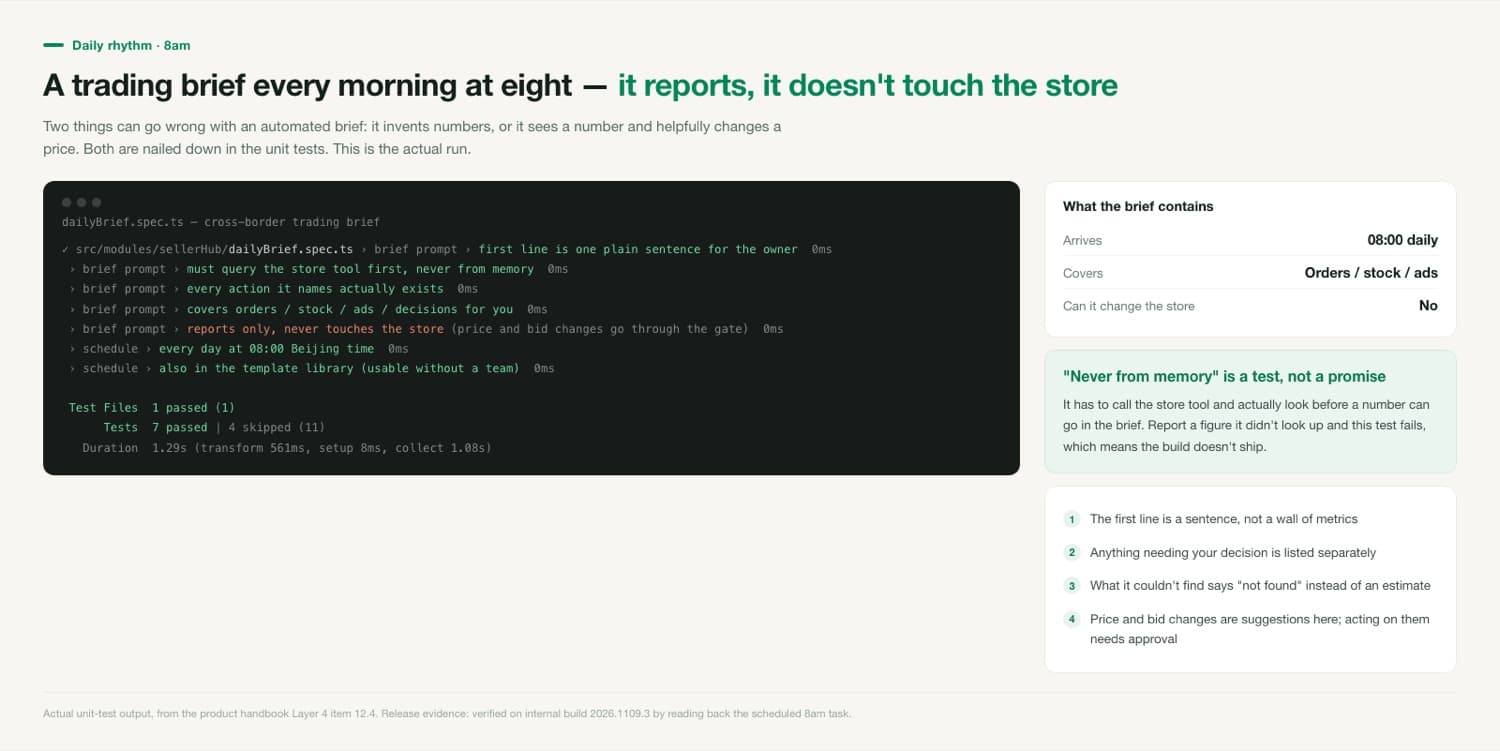
Automated briefs tend to fail in two ways. One: it makes up a number that looks right — it didn't look, it wrote something plausible from impression. Two: it sees a number and helpfully changes a price, so by the time you read the brief the store has already been edited. Neither is solved by writing "please don't" into a prompt. Both are unit tests: report a figure without calling the tool first and the test fails; put a store-editing action in the brief and the test fails. A failing test means the build doesn't ship.
Why it wrote "not found"
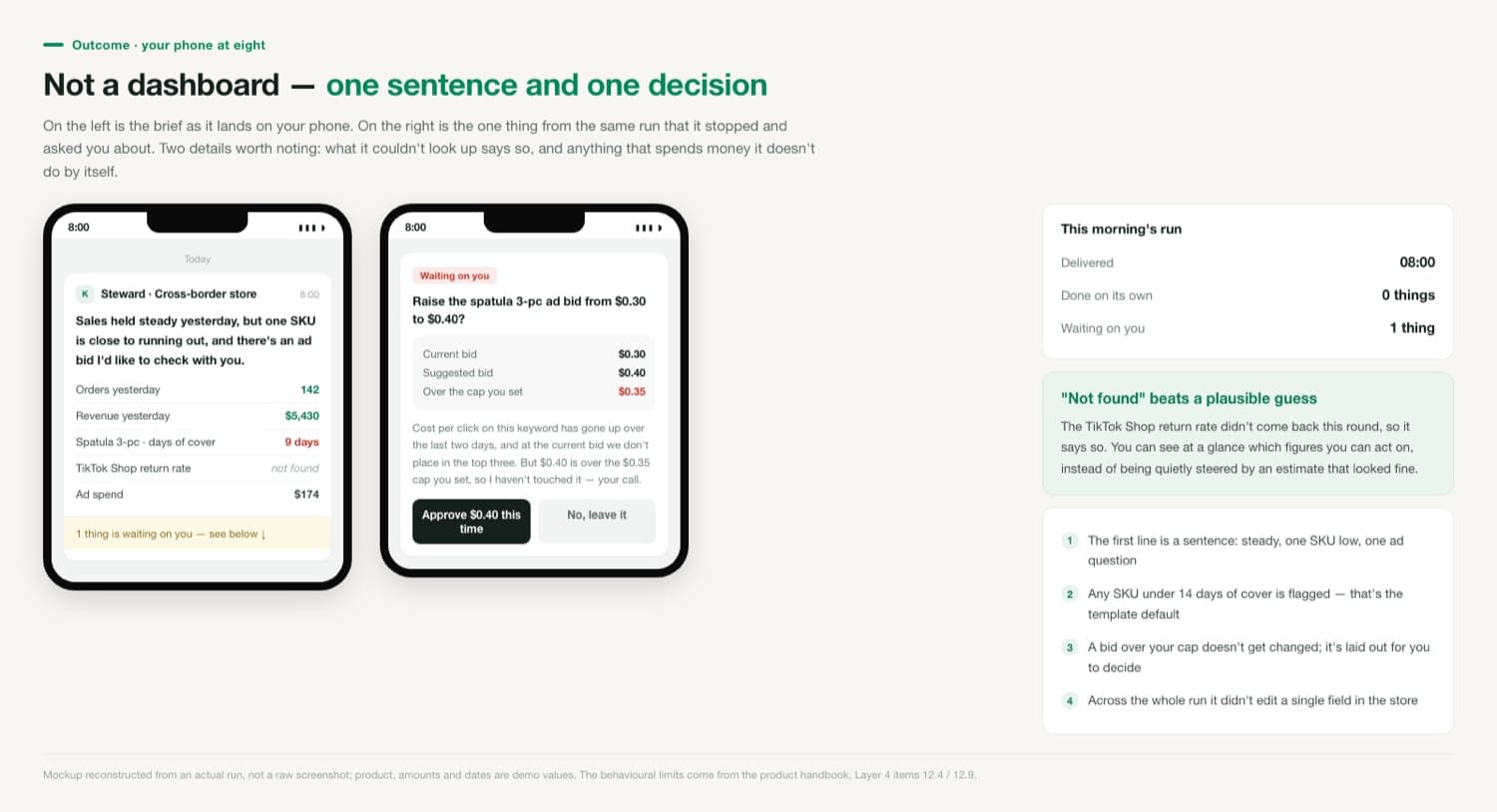
In that brief, the TikTok Shop return rate reads "not found." The figure genuinely didn't come back this round, so that's what it wrote. That's far more useful than a number that's roughly right. You can see at a glance which lines you can decide on and which one you still need to check yourself, instead of being quietly steered by an estimate that looked fine. You'd catch an obviously wrong figure yourself. The troublesome one is the figure that looks right and rests on nothing.
Can I change the 8am time?
Yes, on the automation card. The schedule is Beijing time; if your main market is the US, a lot of people shift it to after that marketplace's daily figures close.
Can I run just the brief without building a team?
Yes. The task is also in the scheduling template library, so you can start one on its own without a cross-border team.
If I approve a price change it suggested, who makes it?
The store role makes it after you approve, then reports back in the conversation with the figure it set. If you don't approve, it stays there — it never goes ahead on a timeout.