
The hardest part of handing work over isn't whether it does the job well. It's whether you're willing to let it act on its own. Karma's approach is to write the limits onto the avatar itself, rather than into a help page you're expected to remember. Every built-in avatar in the store carries a line in its description about what it does not do.
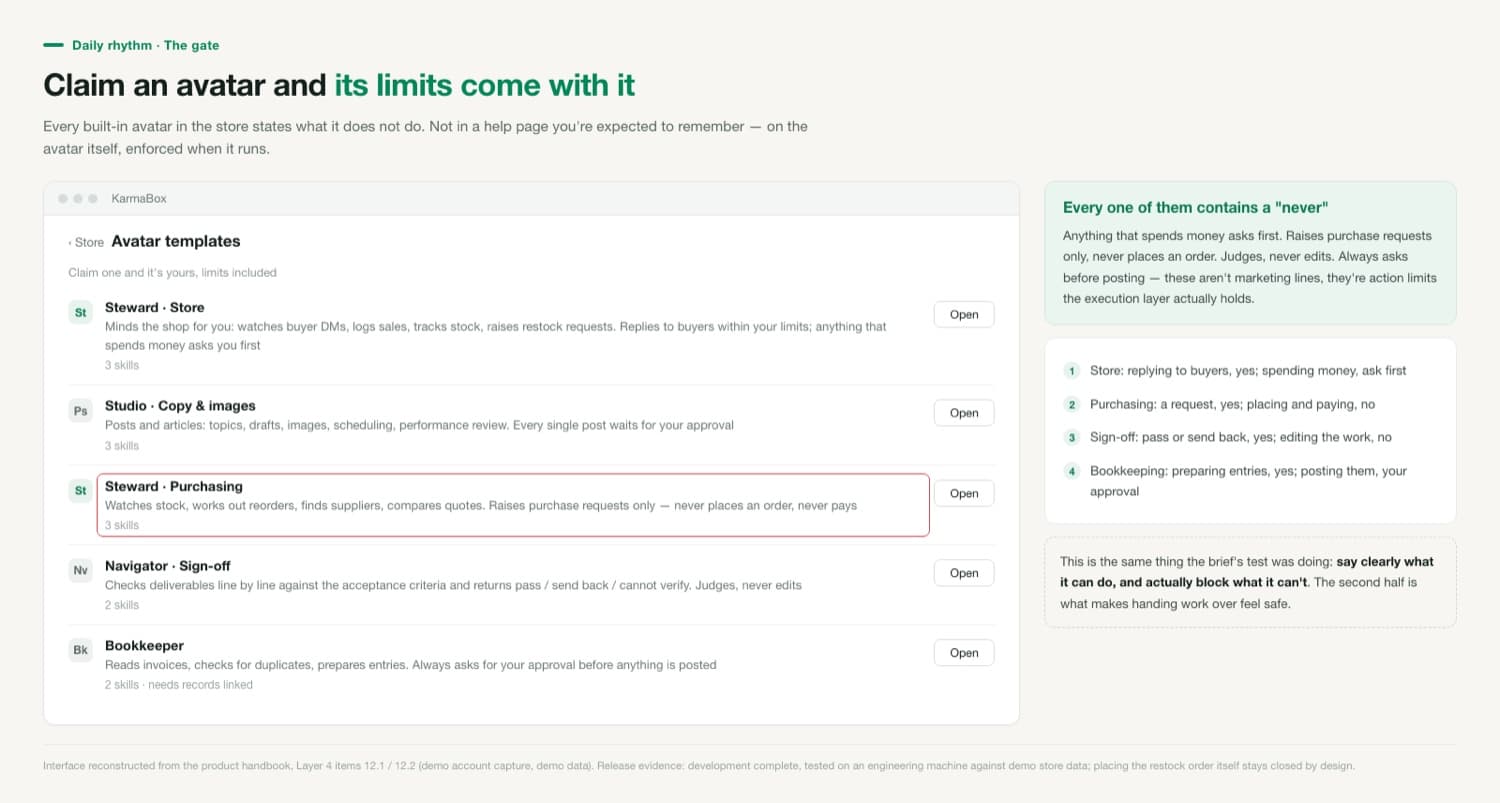
Each role states what it won't do
Store: replies to buyers within your limits; anything that spends money asks you first. Purchasing: raises purchase requests only, never places an order, never pays. Sign-off: returns pass, send back or cannot verify. Judges, never edits. Bookkeeping: prepares entries, but always asks for your approval before anything is posted. What these have in common is a clean split between what's allowed and what isn't — and the second half actually holds, because the execution layer enforces it rather than the avatar's restraint.
There's a second gate, and it stops numbers
Limits govern actions. A second kind of risk governs content: an avatar reporting a market figure it never actually looked up. That's caught too. When a cross-border avatar gives a market figure with a source attached, and the figure isn't in what the tool returned, it gets sent back to answer again. The rule was evaluated across three rounds of a 50-question cross-border test set before it shipped.
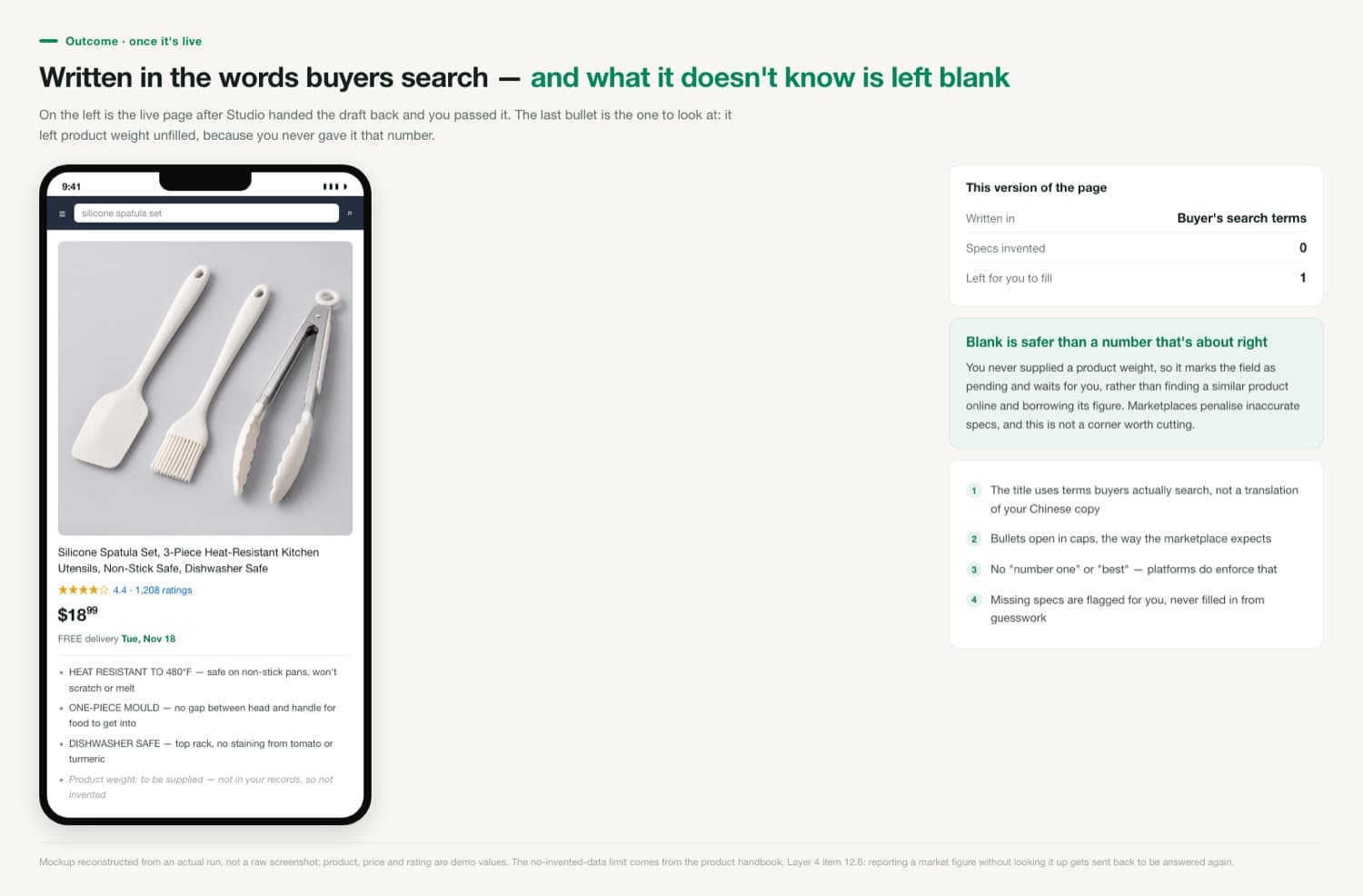
What makes handing work over feel safe isn't what it can do. It's how clearly its limits are stated, and how firmly they hold.
How to tell whether your limits are set right
Don't only watch for it overstepping. Watch the other direction too: whether it asks you about everything. If a dozen cards are waiting on you every day, the range is set too tight and you've simply changed the shape of the work rather than reduced it. A healthy state is roughly one or two things a day that genuinely need your judgement — large amounts, anything unusual, anything touching platform rules. To tune it, look back: what did you approve over the past fortnight, and what did you reject? Approve the same kind of thing ten times in a row and it can move inside the automatic range. Anything you rejected, pull the range back.
If I'm away, does a pending decision eventually go ahead on its own?
No. Anything waiting on you keeps waiting; nothing is released on a timeout. The trade-off is that it doesn't move forward while you're away, and that's a deliberate design choice.
Why does restocking only raise a request instead of placing the order?
Placing the restock order stays closed by design. Purchasing involves real payments and supplier relationships, where the cost of a mistake is in a different league from a price change — so that step stays with a person.
Can other people on the team see these approval records?
Yes. Everything an avatar did is logged and team members can review it. The management model is: set the limits, read the log, approve the red lines — rather than watching it work step by step.